
Actor Headshots
5 Retouching Mistakes That Hurt Actor Headshots
The retouching style that works for fashion or beauty photography fails badly in actor headshots.
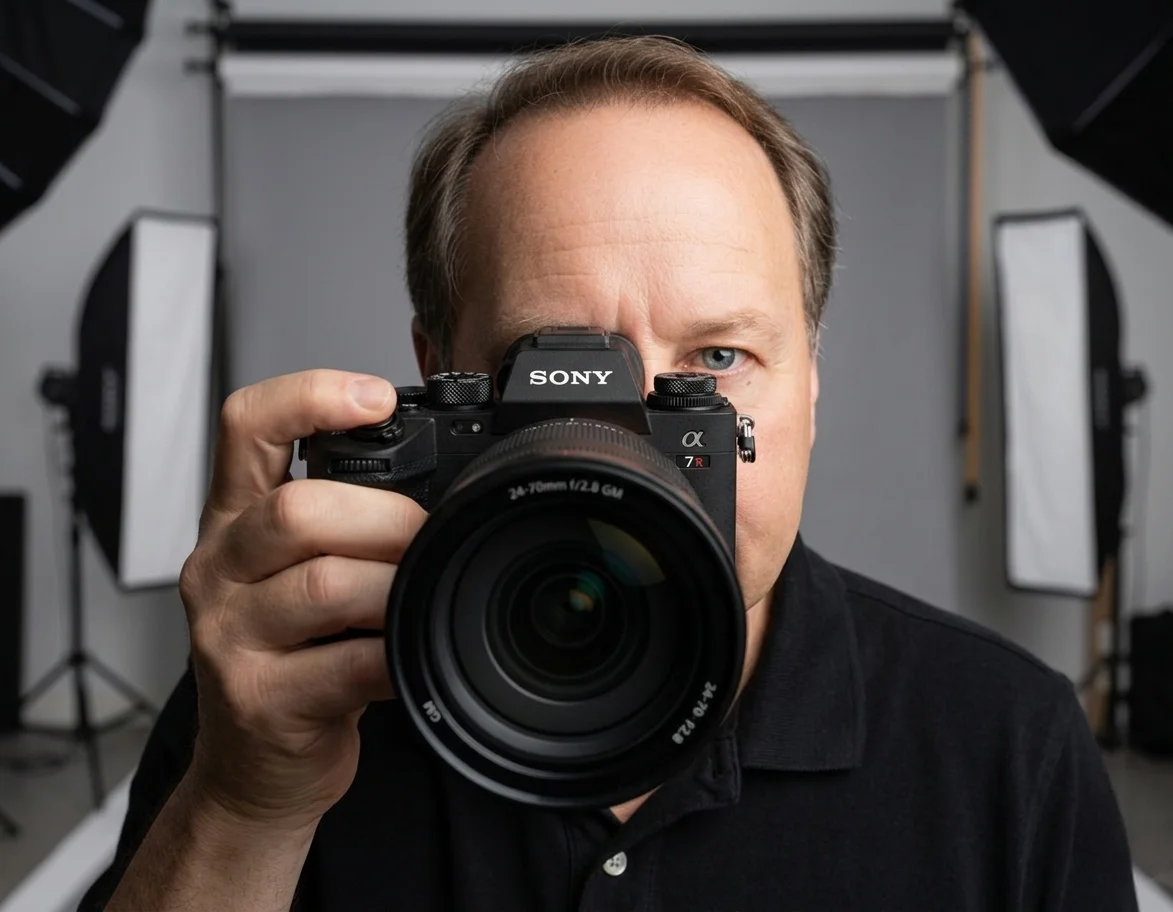
Chris McCarthy
Professional Photographer, Photography Shark · April 17, 2026 · Updated May 18, 2026
The retouching style that works for fashion editorial or beauty photography fails badly in actor headshots. Casting directors see thousands of headshots a year and have calibrated eyes for what restrained, professional retouching looks like — and what over-retouched headshots look like. An actor who walks into an audition not matching their headshot creates a credibility gap that the casting director remembers, and not in the actor's favor.
After years of shooting actor headshots at Photography Shark, I know what Boston casting directors respond to and what they pass over.
After ten years and hundreds of actor sessions at Photography Shark Studios, the retouching mistakes that cost actors callbacks are consistent. Here are the five that come up most often.
1. Skin smoothing that erases texture
The single most common retouching mistake on actor headshots is aggressive skin smoothing. Skin should look like skin — pore texture, slight tonal variation, the natural surface qualities that the human eye recognizes as a real face. When skin is smoothed to plastic uniformity, the photograph crosses into uncanny territory: the casting director's read isn't "polished," it's "this is not what the actor will look like in the room."
Professional actor headshot retouching removes temporary surface issues (an active blemish, a single flyaway hair, a stray reflection on glasses) while leaving the texture that signals authenticity. The principle: anything the actor won't have at the audition next Tuesday can be removed; anything they will have stays.
2. Facial reshaping
The second most common mistake is digital reshaping — narrowing the jaw, thinning the nose, lifting the brow, sharpening the cheekbone. These edits feel small in isolation but compound into a face that doesn't match the person who walks in. Casting directors see the reshaped headshot, the actor arrives with their actual face, and the visual mismatch undermines everything before the first line is read.
Permanent features stay. The actor's actual proportions are what gets cast. If specific features bother the actor, the answer is lighting and posing (which CAN flatter dramatically without changing the underlying face), not post-production reshaping.
3. Eye sharpening and brightening
Eyes are the most important element in an actor headshot, and they get over-edited more often than any other feature. Over-sharpened eyes look glassy and artificial. Over-brightened irises shift the actor's eye color toward something the casting director won't recognize at the audition. Removed or hidden under-eye texture (lines, slight darkness) shifts the apparent age range the actor reads as.
The acceptable retouching on eyes: removing temporary irritation, removing stray makeup or reflections, slight tonal balance if studio lighting created an inconsistency between the eyes. The mistake: anything that changes the eye's recognizable color or shape.
4. Removing permanent features
Birthmarks, freckles, scars, moles, distinctive lines around the eyes or mouth — all of these are part of the actor's recognizable face. Casting directors who book the actor for a callback are remembering THIS face, with THESE features. When those features are absent from the headshot, the casting director's mental model of the actor doesn't match the person on set, and the small visual differences create friction the production didn't budget for.
Removing a single transient blemish on session day is fine. Removing a permanent feature the actor will have at the audition is a mistake — even if the actor requests it during the gallery review.
5. Heavy color grading
Modern color grading tools make it easy to push a photograph toward a stylized look — high-saturation orange-and-teal, bleached-out fashion editorial register, moody cinematic blue cast. These looks work for fashion photography, music video stills, and editorial assignments. They actively fail in actor headshots, where the registration the casting director needs is "what this actor will photograph like under standard production lighting."
Acceptable color work on an actor headshot: subtle white balance correction, slight tone balancing across the face, ensuring consistent skin tone in mixed lighting. The mistake: stylistic grading that pulls the photograph away from a neutral, accurate representation of how the actor looks in a normal room.
What "professional retouching" actually means for actors
The retouching standard for actor headshots is restraint. The deliverable should look like a professional photograph of the actor at their best — meaning lit well, posed well, and captured at a moment when the actor's expression was working. It should NOT look like the actor went through a filter, a smoothing app, or a fashion retoucher's full process.
Photography Shark sessions deliver 10 fully retouched, high-resolution images within 3–5 business days. The retouching follows actor-headshot conventions:
- Temporary skin issues managed (single blemishes, stray hairs, errant reflections)
- Permanent features preserved (birthmarks, freckles, moles, scars, recognizable lines)
- Skin texture maintained (pore detail intact, natural tonal variation kept)
- Subtle color correction if studio lighting created inconsistency
- Background cleanup (lint on backdrop, stray edges)
- No reshaping, no smoothing into uniform skin, no eye-color shift
If specific retouching needs come up during the gallery review, they can usually be addressed within the conservative-retouching framework. The questions to ask before requesting an edit: "will the casting director see this difference between my headshot and me at the audition?" and "is this a permanent feature of my face?" If either answer is yes, the edit shouldn't happen.
Actors Access, Casting Networks, and what the platforms actually enforce
Most actors don't realize the platforms have explicit retouching rules. They rarely enforce them at the submission gate, but they DO surface in casting director feedback to agents — and an agent whose actor keeps getting flagged for "over-retouched submissions" will push back at the next session.
- Actors Access publishes guidelines that prohibit "significant alterations to your appearance." The platform's casting team flags egregious examples (entire-face smoothing, drastic age-shifting, removed permanent features) and asks the actor to upload a corrected file. They don't catch subtle over-retouching, but the CDs reading submissions do.
- Casting Networks has similar language about authenticity. They more aggressively flag headshots with stylized color grading because their thumbnail grid normalizes color cast; out-of-range files become visibly off-tone next to neighbors.
- Backstage focuses more on resume accuracy than headshot retouching, but their CD-facing tools do display headshots at high resolution where smoothed skin becomes obvious.
- Agent-side submission tools (Submitable, Talent Tracker) are where the strongest enforcement happens informally — agents pre-screen their actors' submissions and reject over-retouched files before they go to CDs because the agent's reputation is on the line.
The actor never sees these enforcement moments unless they ask. The retouching standard is built into the ecosystem, and submissions that violate it underperform without an explicit explanation of why.
How over-retouching looks under the hood — the technique tells
Retouching done in Photoshop, Capture One, or Lightroom has signature visual tells when overdone. CDs and agents who spot them are not consciously analyzing technique; they're noticing the artifacts. The most common technique tells:
- Frequency separation taken too far — the skin's color layer is smoothed flat while the texture layer is reduced. Result: a face that looks like a wax mannequin with a thin pore-printed surface on top. Visible at 100% crop and on most modern phone screens.
- Gaussian-blur skin smoothing — older technique still in heavy use by amateur retouchers. Telltale: skin looks soft like fabric, the edges of the face look uncannily clean against the background.
- Liquify tool overuse — pulled jawlines, narrowed noses, lifted brows. The asymmetric pull of liquify usually produces a slight wobble in the cheek line or the hairline that an experienced eye picks up immediately.
- Dodge-and-burn overdone on eyes — eyes that look "popped" and unnatural. The whites are too white, the iris is too saturated, and the catchlight is too sharp.
- Skin tone unification via desaturation — color variation that exists naturally in skin (slight redness on cheeks, slight warmth around mouth, slight coolness on forehead) gets flattened into a single tone. The face reads as a flat-lit illustration instead of a photograph.
- AI-tool full-face replacement — newer failure mode. Tools like Adobe's Generative Fill or third-party "headshot enhancers" sometimes substitute facial features wholesale. Detectable by inconsistencies between eye color, ear shape, and lip line vs. previous photos of the actor.
Photography Shark's retouching workflow uses frequency separation, dodge-and-burn, and selective color tools — the same tools — but stops at the point where the face still reads as the person. The distinction is judgment, not tooling.
The self-test before approving a retouched headshot
Before approving any retouched headshot — at gallery review, from your retoucher, or from a separate retouching service — run three quick checks:
- The recent-photo comparison. Open the retouched headshot next to a recent unedited phone photo of yourself. Do they look like the same person, or like distant relatives? If the second, the retouching has gone too far.
- The 100% zoom test. Zoom to 100% on a desktop monitor and look at the cheek, forehead, and under-eye area. Can you see pore texture? Tiny lines? Subtle tonal variation? If everything is smooth, the retouching has flattened too much.
- The "would my agent send this" test. Imagine your agent looking at this headshot for the first time. Would they flag anything? If you're not sure, ask. Agents have a calibrated eye and will say.
If any of the three fail, send specific revision notes back to the retoucher: "please restore some pore texture on cheeks," "please reduce eye-whitening," "please don't smooth the under-eye area as aggressively." Retouchers respect specific notes; they push back on vague "make it less retouched" requests.
The session structure that supports good retouching
Good retouching starts with good capture. A headshot lit well, exposed correctly, and shot at the right focus on the eye needs minimal retouching to land at a professional standard. A headshot with technical issues — bad exposure, missed focus, busy backdrop, harsh lighting — requires aggressive retouching to fix, and the aggressive retouching is what produces the failure modes above.
Photography Shark sessions use professional Godox strobe lighting, Sony Eye AF tracking, and seamless backdrops specifically to make retouching the final 10% rather than the heavy lifting. The result: photographs that look like clean professional capture, not photographs that look like Photoshop saved.
Standard actor sessions are $395 for a 30-minute studio booking. Two-look sessions (theatrical + commercial) are $545. Book via the actor headshots service page or the actor headshots Boston city page for current availability.
Frequently Asked Questions
How can casting directors tell when a headshot has been over-retouched?
Several visual signals: skin that looks too smooth (no pore texture, no natural variation), eyes that look unnaturally bright or sharpened, jaw lines that have been redrawn, removal of permanent features that the actor will obviously have at the audition. Casting directors see thousands of headshots and have calibrated eyes for what professional retouching looks like versus what amateur or excessive retouching looks like.
What does professional headshot retouching actually do?
Removes temporary issues — a single blemish, an errant hair, a stray reflection on glasses, distracting background detail. Manages temporary skin texture without flattening it. Subtle color and tone adjustments to ensure the photograph reads consistently across digital platforms. The principle is: anything the actor will not have at the audition can be removed; anything they will have stays.
Is no retouching better than over-retouching?
Generally yes for actors. A photograph with visible temporary blemishes is easier to defend in submissions than a photograph that's been smoothed into looking like a different person. Casting directors understand that humans have skin texture. They don't understand or accept photographs that look like artificial composites. When in doubt, restraint wins.
What about skin tone correction?
Subtle is appropriate. If the studio lighting created an inconsistency — slight warm cast on one side of the face, slight cool cast on the other — color correction to even it out is fine. Aggressive color shifting that changes the actor's skin tone significantly creates the same audition-room mismatch as facial reshaping.
Should I ask for specific retouching when I review my gallery?
Yes, but be conservative. Removing a single distracting blemish is reasonable. Asking for skin smoothing, facial reshaping, or removal of permanent features is usually a mistake. The retouching style that works for everyday social media or beauty work fails badly in casting submissions. The headshot has to match how you'll actually appear.
How does retouching work in a session at Photography Shark?
Retouching is included in the session price. Galleries deliver as 10 fully retouched, high-resolution images within 3-5 business days. The retouching follows actor-headshot conventions — temporary issues managed, permanent features preserved, subtle tone correction, distracting background detail cleaned up. If specific retouching needs come up after gallery delivery, we can address them; the goal is a photograph that reads as professional and authentic.
Related Posts
Actor Headshots
Actor Headshots and Your Resume: Sizing, Formatting, and What Casting Expects
Actor Headshots
The Best Hair and Makeup Tips for Actor Headshots That Pop
Actor Headshots
How to Choose the Right Photographer for Your Acting Headshots
Actor Headshots
How to Prepare for Your Actor Headshot Session
Actor Headshots
10 Actor Headshot Mistakes That Are Costing You Auditions
Actor Headshots
Actor Headshots for Beginners: What to Expect
You Might Also Like
About the Author
Chris McCarthy
Chris McCarthy has run Photography Shark Studios in Rockland, MA for over 10 years and 500+ sessions, with executive headshot work for Rockland Trust, Clean Harbors, M&T Bank, and McCarthy Planning; founder portraits for AI startups including Lowtouch.ai; product photography for South Shore brands like Lauren's Swim; and headshots across South Shore legal, medical, financial, and academic practices. Every session is personally shot and edited by Chris on Sony mirrorless and Godox strobe systems — no assistants, no outsourcing, no batch retouching. Galleries deliver in 3–5 business days. About photographer Chris McCarthy →
Photography Shark · Boston & South Shore MA
Ready to Book a Session?
Professional headshots, senior portraits, boudoir, and model portfolios. Studio in Rockland, MA — 25 miles south of Boston. Sessions from $395.