Headshots
Headshot Sizes: Specs, Plus Why Uploads Get Rejected
Every headshot size that matters — 8x10, LinkedIn, casting specs — plus the crop and export errors that get uploads rejected, and how to fix them.
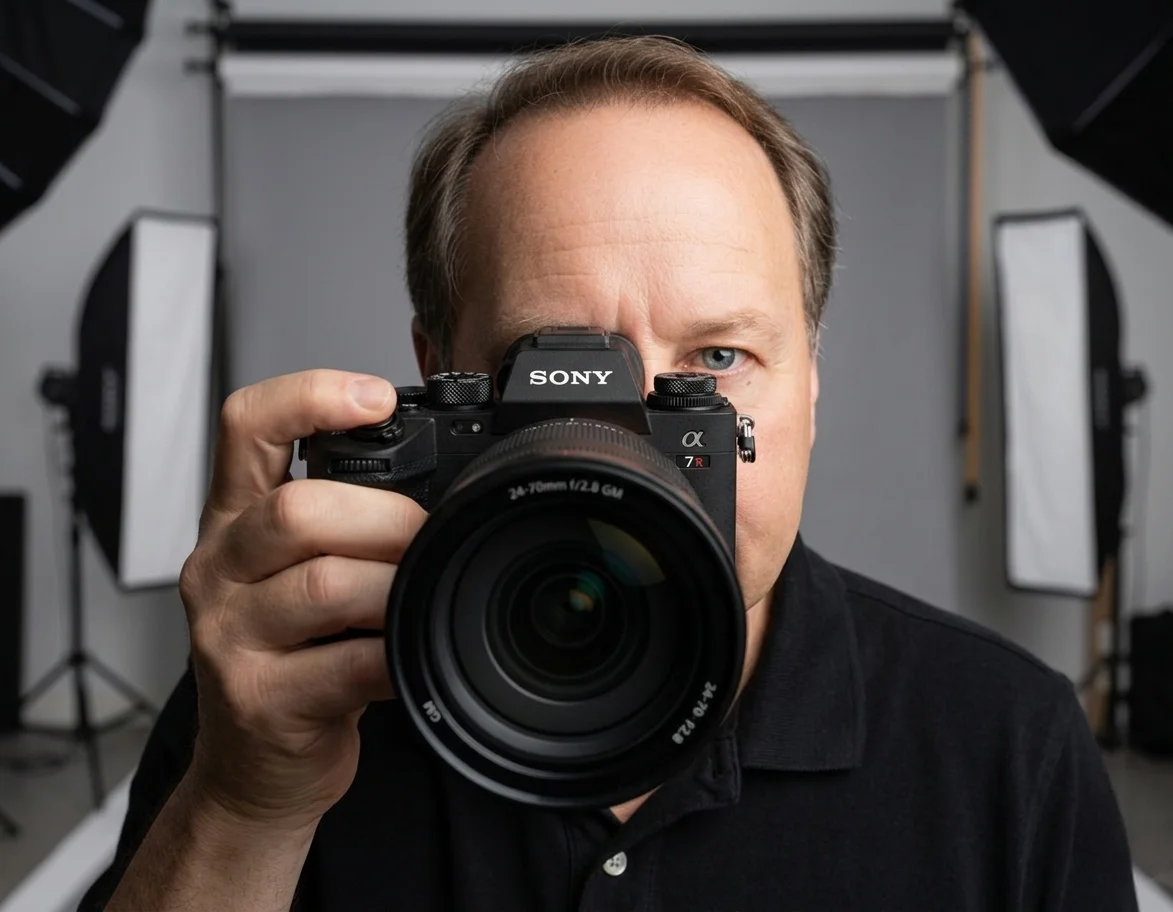
Chris McCarthy
Professional Photographer, Photography Shark · May 12, 2026 · Updated August 11, 2026
A "headshot" is not a single size. It is a category of image sizes that vary by industry — acting, modeling, corporate, LinkedIn, casting — and getting the dimensions right matters as much as the photo itself. A perfectly lit, beautifully composed image that arrives at a casting director cropped wrong or pixelated reads as unprofessional, regardless of how good the original capture was.
I have photographed headshots for every industry represented on the South Shore, and the preparation questions are remarkably similar.
This guide covers the standard headshot sizes and aspect ratios used across every common professional context, with the exact dimensions and the reasoning behind them.
The short answer: the standard acting headshot is 8×10 inches — a 4:5 aspect ratio, 2400×3000 pixels at 300 DPI. LinkedIn and most social profiles use a 1:1 square at 800×800 pixels. Modeling comp cards are 5.5×8.5 inches, and corporate bio photos are 1:1 or 4:5 at 1200 pixels or larger. The full reference is below.
Knowing the number is the easy half. The half that actually costs people a submission is what to do when a file already exists and it doesn't fit — a casting site rejects the upload, LinkedIn crops your chin off, a printer returns something soft. Almost none of those need a reshoot. Start with the triage table, then use the reference sections for the exact specs.
Wrong Size Already? Start Here
Match the symptom to the cause before you do anything else. Most of these are a re-crop or a re-export, not a new session.
| What you're seeing | What's actually wrong | The fix |
|---|---|---|
| Upload rejected: "file too small" | Pixel dimensions below the platform minimum | Re-export from the original full-resolution file, not a downloaded or emailed copy. If the original is genuinely below spec, that's the one case needing a reshoot. |
| Upload rejected: "file too large" | File size in MB, not dimensions | Re-save as JPEG at quality 80–90. Keep the pixel dimensions; drop the compression. |
| LinkedIn crops your chin or forehead | Vertical 4:5 image forced into a 1:1 square | Re-crop to square from the original, centering on the eyes at roughly the upper third. |
| Photo looks soft or mushy in print | Upscaled from a web-sized file, or exported below 300 DPI | Re-export at 300 DPI from the original. Upscaling a 800px file to 2400px cannot add detail back. |
| Casting profile shows odd empty bands | Aspect ratio doesn't match the platform's frame | Crop to the platform's ratio yourself rather than letting it auto-fit. Specs by platform are below. |
| Head looks too small in the frame | Composition, not dimensions | A true re-crop tighter to the head and shoulders. If there isn't enough resolution left after cropping, reshoot. |
| Colors shift after upload | Wrong colour profile (usually Adobe RGB or CMYK) | Convert to sRGB for anything on screen. Keep CMYK only for a commercial print run. |
The practical rule: if the original file is large enough, almost every sizing problem is a crop or an export setting. Ask your photographer for the full-resolution original rather than working from whatever ended up in your email. Any competent studio will send it, and most will supply the extra crops on request — see when to request multiple crops below.
Quick Reference: Standard Headshot Sizes
| Use Case | Pixel Dimensions | Aspect Ratio | Print Size |
|---|---|---|---|
| Acting / Casting Headshot | 2400×3000 (300 DPI) | 4:5 | 8×10 inches |
| LinkedIn Profile Photo | 800×800 (ideal) | 1:1 | n/a |
| LinkedIn Cover Photo | 1584×396 | 4:1 | n/a |
| Corporate Bio Page | 1200×1200 or 1200×1500 | 1:1 or 4:5 | n/a |
| Modeling Comp Card (printed) | 1650×2550 (300 DPI) | n/a | 5.5×8.5 inches |
| Modeling Digital Submission | 1200×1500 | 4:5 | n/a |
| Instagram Profile Photo | 320×320 minimum | 1:1 | n/a |
| Twitter / X Profile Photo | 400×400 | 1:1 | n/a |
| Actors Access Headshot | 600×900 minimum | 8:12 / 2:3 | n/a |
| Casting Networks Headshot | 600×750 minimum | 4:5 | n/a |
| Backstage Headshot | 800×1000 minimum | 4:5 | n/a |
Acting and Casting Headshot Sizes
The 8x10 Standard
Printed acting headshots have used an 8x10 inch format since the studio era, and the standard has not changed. Every theatrical and commercial talent agency in the United States expects the 8x10 format. Every casting workshop reviews submissions at that size. Every casting director who still prints reference materials uses 8x10 boards.
A digital file for a printed 8x10 headshot needs to be 2400 pixels wide by 3000 pixels tall at 300 DPI. Anything smaller will print soft or pixelated; the upper limit is whatever your camera produces (most modern full-frame cameras output 6000+ pixel-wide files). The 8x10 print is also what gets paired with your acting resume — for the conventions on sizing your headshot for casting submissions and how the two documents fit together, see the full headshot-and-resume guide.
Digital Acting Headshots for Casting Platforms
Actors Access, Casting Networks, and Backstage all accept digital headshots, and each has its own minimum:
- Actors Access: 600×900 pixels minimum, 8:12 ratio preferred, JPG only, file size 100KB–2MB
- Casting Networks: 600×750 minimum, 4:5 ratio, JPG/PNG, under 10MB
- Backstage: 800×1000 minimum, 4:5 ratio, JPG/PNG, under 5MB
Always upload at least 2× the platform minimum. These guidelines are years old and the platforms now display larger thumbnails on tablet and mobile.
4:5 vs 8:10 — Same Aspect Ratio, Different Naming
The acting industry sometimes refers to "8:10 headshots" and "4:5 headshots" interchangeably because both describe the same aspect ratio. 8x10 inches reduces to 4:5 when expressed in simplest form. They are identical for cropping purposes — only the unit changes.
Dance Audition Submissions
Dance auditions borrow the acting conventions for the headshot itself — 8x10 in print, 4:5 digital — but rarely stop there. Company auditions, agency submissions, and BFA program applications usually ask for the headshot plus separate full-body movement or performance photos, and the two are judged differently: the headshot has to make you recognizable in the room, the movement photos have to show line and technique. Getting the crop right is only half the submission — what dancers actually need to send covers the full package and the specs each audition type expects.
LinkedIn Headshot Dimensions
LinkedIn is the highest-volume use case for professional headshots, and the platform's requirements are stricter than most users realize.
Profile Photo Specs
- Minimum: 400×400 pixels
- Recommended: 800×800 pixels (sharper on Retina displays)
- Maximum: 7680×4320 pixels (oversized — no benefit)
- Aspect ratio: 1:1 square (auto-cropped to circle in most views)
- File size limit: 8 MB
- Formats accepted: JPG, PNG
The actual display size on a desktop profile is 200×200 pixels. On mobile, it shows as 152×152. But uploading at 800×800 lets LinkedIn render sharply on high-DPI screens and protects against future resolution increases without re-uploading.
The Circle Crop Problem
LinkedIn crops profile photos to a circle in feed views, search results, and message previews. The corners of your uploaded square are invisible in those contexts. If your photographer composed a tight portrait that uses the full 1:1 square, parts of your hair, shoulders, or background may get cut off in the circle crop.
The workaround: keep your face centered in the inner 70% of the square. Anything in the outer corners will be cropped away when LinkedIn renders the circle. Contrast matters more at that size too, which is where choosing a background color that separates you from the frame earns its keep.
LinkedIn Cover Photo
The banner image behind your profile photo is a separate spec:
- Recommended: 1584×396 pixels
- Aspect ratio: 4:1 (very wide)
- File size: under 8 MB
Modeling Headshot and Comp Card Sizes
Modeling agencies have different submission requirements than acting, and the dimensions reflect different downstream uses.
Agency Comp Cards
A printed comp card is 5.5×8.5 inches — about half a US letter sheet. The card typically has:
- Front: one large headshot, occupying about 60% of the card face
- Back: 3–4 smaller portfolio images plus stats (height, measurements, hair/eye color, sizes, agency contact)
The headshot on the front needs high resolution — 1650×2550 pixels at 300 DPI — because comp cards are printed with sharp detail review by casting directors who look at them closely. A low-resolution headshot on a comp card is one of the fastest ways to look unprofessional.
Digital Modeling Submissions
For email or web-form submissions to modeling agencies:
- Submission headshot: 1200×1500 pixels minimum, 4:5 aspect ratio
- Polaroid digitals: 800×1000 pixels minimum, against a plain background, minimal makeup, natural hair
- Portfolio gallery images: 2000×2500 pixels for best display in agency-side review tools
Corporate Bio and Website Headshot Sizes
Corporate website bio headshots have no industry-wide standard, but practical norms have emerged:
- Small team-page thumbnail: 300×300 to 500×500 pixels (1:1)
- Bio-page hero: 800×1000 to 1200×1500 pixels (4:5)
- Press kit / media use: 2000×2500 pixels minimum (high res for downstream print)
- Speaker page: 1200×1200 pixels (1:1) — accommodates conference program use
If your company has a brand guide that specifies dimensions, use those. If it does not, request your photographer deliver in both 1:1 and 4:5 crops from the same source frame — that covers most downstream uses without re-cropping.
Aspect Ratios Explained
Most headshot conversations involve one of four aspect ratios:
- 1:1 (square) — LinkedIn, Twitter/X, Instagram profile, most social platforms, corporate team grids
- 4:5 (vertical) — Acting headshots (printed at 8×10), Instagram feed posts, modern corporate bios, modeling digital submissions
- 3:4 (vertical, slightly wider than 4:5) — Some casting platforms, older print formats
- 2:3 (vertical, wider still) — Magazine layouts, environmental portraits, rarely used for traditional headshots
The relationship: 4:5 is narrower than 3:4, which is narrower than 2:3. The narrower the aspect ratio, the tighter the crop sits around the face.
File Format and Resolution
For printed headshots, always deliver at 300 DPI — the standard for offset and digital print. Lower resolutions produce soft, pixelated prints regardless of how sharp the original capture was.
For digital-only use, 72 DPI is the legacy web standard, but 150 DPI is recommended now to handle Retina and 4K displays. JPG at high quality (80–95% compression) is the standard format. PNG is acceptable but produces files 3–5× larger than JPG without visible benefit for photography.
Color space should be sRGB for any web or screen use. Adobe RGB or ProPhoto RGB will display with washed-out colors on most web browsers, which still default to sRGB.
Common Cropping Mistakes
Too Tight
Cropping into the forehead or shoulders to fit a square format on LinkedIn or Instagram looks claustrophobic and amateurish. Always leave breathing room: the top of the frame should sit 5–10% above the head, and the bottom should include at least the upper chest.
Wrong Aspect Ratio for the Platform
Uploading a 4:5 vertical headshot to a 1:1 LinkedIn slot means LinkedIn will auto-crop — and rarely in the way you would choose. Either pre-crop to 1:1 before upload, or use LinkedIn's positioning tool to set the crop manually.
Resolution Too Low
A 400×400 LinkedIn photo looks sharp on a 200×200 display, but the moment LinkedIn enlarges it (your "About" view, the chat-message header, the search result preview), it goes soft. Always upload at the largest recommended size, not the minimum.
Off-Center Face
Casting and modeling submissions especially expect the face centered horizontally in the frame, with the eyes positioned about one-third from the top. Faces shifted left or right of center read as poorly composed even to non-photographers.
When to Request Multiple Crops
If you are paying for a professional headshot session, ask the photographer to deliver:
- One 1:1 square crop — for LinkedIn, social profiles, team pages
- One 4:5 vertical crop — for Instagram feed, modern bios, print use
- One full uncropped frame — for downstream uses your photographer did not anticipate
Most professional studios — including Photography Shark — deliver in multiple crops by default. If yours does not, ask.
---
Headshot wardrobe guide · How much do headshots cost in Boston · How to choose a Boston headshot photographer · LinkedIn headshots in Boston · ERAS residency photo guide See also: new-role announcement portrait.
Frequently Asked Questions
What is the standard headshot size?
The standard headshot size depends on the use case. Acting and casting headshots are 8x10 inches when printed, with a 4:5 aspect ratio. LinkedIn headshots are 400x400 pixels minimum, 800x800 pixels ideal, with a 1:1 square aspect ratio. Modeling comp cards are 5.5x8.5 inches. Corporate website bio headshots are typically 600x600 to 1200x1200 pixels in a 1:1 or 4:5 ratio.
Why does my headshot keep getting rejected when I upload it?
Almost always one of three things. If the platform says the file is too small, the pixel dimensions are below its minimum — usually because you are working from a downloaded or emailed copy rather than the full-resolution original. If it says the file is too large, that is megabytes rather than dimensions, so re-save as a JPEG at quality 80 to 90 without changing the pixel size. If it uploads but displays wrong, the aspect ratio does not match the platform's frame and you should crop to that ratio yourself rather than letting the site auto-fit. Only the first case can require a reshoot, and only when the original file is genuinely below spec.
Do I need a new headshot session if the size is wrong?
Usually no. If your photographer delivered a full-resolution original, nearly every sizing problem is a crop or an export setting rather than a capture problem — square crops for LinkedIn, 4:5 for casting platforms, 300 DPI for print all come out of the same file. The exceptions are when the original itself is below a platform's minimum resolution, or when the framing is wrong rather than the dimensions and cropping tighter would not leave enough pixels. Ask for the original file before booking anything new.
What aspect ratio is a professional headshot?
Professional headshots use three main aspect ratios depending on the platform. 1:1 square is used for LinkedIn, Twitter/X, Instagram, and most social profiles. 4:5 vertical (the same as 8:10) is used for printed acting headshots, Instagram feed posts, modeling digital submissions, and modern corporate bios. 3:4 is occasionally used by older casting platforms and print formats.
What size is a LinkedIn headshot in 2026?
LinkedIn requires headshots at minimum 400x400 pixels, but recommends 800x800 pixels for best display quality on Retina screens. The image must be a 1:1 square aspect ratio and is automatically cropped to a circle in most profile views. Maximum file size is 8 MB. Acceptable formats are JPG and PNG.
What is the standard size for an acting headshot?
Acting and casting headshots are standardized at 8x10 inches when printed, with a 4:5 vertical aspect ratio. This is the format expected by talent agents, casting directors, Actors Access, Casting Networks, and Backstage. Digital files should be 2400x3000 pixels at 300 DPI for print, or 600x750 pixels minimum for web upload to casting platforms.
How big should a modeling headshot be?
Modeling headshots vary by submission type. Agency comp cards are 5.5x8.5 inches, with the front headshot at 1650x2550 pixels at 300 DPI. Digital submissions to modeling agencies are typically 1200x1500 pixels at a 4:5 ratio. Polaroid-style digitals for casting are 800x1000 pixels minimum, shot against a plain background with natural hair and minimal makeup.
What DPI should a headshot be for printing?
Printed headshots need to be 300 DPI (dots per inch) at the final print size. An 8x10 inch printed headshot requires a digital file of at least 2400x3000 pixels. Anything less prints soft or pixelated. For digital-only use on LinkedIn, websites, and casting platforms, 72-150 DPI is sufficient because screens cannot display higher resolutions.
Should headshots be square or vertical?
It depends on where you are using the headshot. Square (1:1) is required for LinkedIn, Twitter/X, Instagram profile photos, and most social platforms. Vertical (4:5 or 8:10) is the standard for acting and modeling headshots, printed promotional materials, and most corporate bio pages. Professional photographers typically deliver both crops from the same session so you have versions for every use case.
What headshot size should I upload to Instagram in 2026?
Instagram profile photos display at 110x110 pixels but should be uploaded at 320x320 pixels minimum for sharpness on Retina screens. The required aspect ratio is 1:1 square. Instagram feed posts use 1080x1080 (square), 1080x1350 (4:5 vertical, the best-performing aspect for engagement), or 1080x566 (1.91:1 landscape). For Stories and Reels, use 1080x1920 (9:16 vertical). Acceptable formats: JPG and PNG, with JPG preferred for photographs.
What size should an acting headshot be for casting websites?
Casting platforms have specific requirements that override print standards. Actors Access accepts up to 5 MB per image at minimum 600x750 pixels (4:5 ratio). Casting Networks requires 600x750 minimum and recommends 1200x1500. Backstage accepts up to 10 MB and recommends 1200x1500. For all three, upload the same image at 1200x1500 pixels (4:5 vertical aspect) at 72-150 DPI in JPG format — this clears the minimum everywhere and gives the platform headroom to crop or scale without pixelation.
Should headshots be 8x10?
For acting and casting, yes — 8x10 inches is the long-standing industry standard, and talent agents, casting directors, and platforms like Backstage and Actors Access expect it. An 8x10 print equals a 4:5 aspect ratio, and the file should be 2400x3000 pixels at 300 DPI. Outside of acting, 8x10 is not required: LinkedIn and most social profiles use a 1:1 square, and corporate bios use 1:1 or 4:5. So 8x10 is the rule for actors and optional for everyone else.
Will an 8x10 headshot fit in an 8.5x11 frame?
Not edge-to-edge. An 8x10 print is a 4:5 aspect ratio, while an 8.5x11 sheet is roughly 1:1.29, so an 8x10 will not fill an 8.5x11 frame without a border. The cleanest solution is to mat the 8x10 inside an 8.5x11 or 11x14 frame, which looks more finished anyway. If you need the image to fill 8.5x11 completely, you have to re-crop to that ratio, which trims part of the original 8x10 composition.
Should I shoot headshots in 4:3 or 16:9?
Neither is the right delivery format for a headshot — 16:9 is a wide, video-style ratio that's far too letterboxed for a portrait, and 4:3 is wider than the headshot standard. Shoot in your camera's full native ratio (usually 3:2 or 4:3) to keep maximum resolution, then crop to what the end use requires: 4:5 (8x10) for acting and print, 1:1 square for LinkedIn and social. Always crop down from the widest capture rather than shooting tight, so you keep flexibility for multiple platforms.
Related Posts
You Might Also Like
About the Author
Chris McCarthy
Chris McCarthy has run Photography Shark Studios in Rockland, MA for over 10 years and 500+ sessions, with executive headshot work for Rockland Trust, Clean Harbors, M&T Bank, and McCarthy Planning; founder portraits for AI startups including Lowtouch.ai; product photography for South Shore brands like Lauren's Swim; and headshots across South Shore legal, medical, financial, and academic practices. Every session is personally shot and edited by Chris on Sony mirrorless and Godox strobe systems — no assistants, no outsourcing, no batch retouching. Galleries deliver in 3–5 business days. About photographer Chris McCarthy →
Photography Shark · Boston & South Shore MA
Ready to Book a Session?
Professional headshots, senior portraits, boudoir, and model portfolios. Studio in Rockland, MA — 25 miles south of Boston. Sessions from $395.