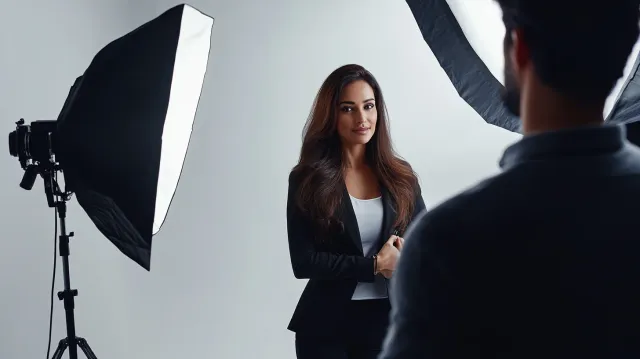
Headshots
Job Application Photo: Complete Guide for 2026
Everything you need to know about job application photos — dimensions, dress code, background, expression, where to get one, and when a professional headshot makes the difference between getting called and getting skipped.
Chris McCarthy
Professional Photographer, Photography Shark · May 26, 2026
Your job application photo is the first thing a hiring manager sees — often before your name, your resume, or your cover letter. On LinkedIn, a profile with a professional photo receives up to 21 times more views and 36 times more messages than one without. On career portals that accept photo uploads, a clear, well-lit headshot separates the candidates who look prepared from the ones who look like they attached an afterthought. This guide covers exactly what makes a strong job application photo — dimensions, wardrobe, background, expression — and when it's worth investing in a professional session versus shooting one yourself.
I'm Chris McCarthy, headshot photographer at Photography Shark Studios in Rockland, MA. I've photographed thousands of professionals for exactly this purpose — actors, executives, career changers, recent graduates, people in every industry who need a photo that says "hire me" without saying a word. (If you're still in school, see the Boston student headshot guide for advice tailored to internship and first-job applications.) Here's what I've learned about what actually works.
When Job Applications Require a Photo
Not every job application asks for a photo directly, but more contexts require one than most people realize.
LinkedIn profiles are the most universal case. Whether or not a job listing mentions photos, recruiters and hiring managers will look at your LinkedIn profile — and a profile without a photo, or with a poor one, gets skipped. LinkedIn is functionally a job application photo for every professional, at every stage of their career. The LinkedIn profile photo guide covers the platform-specific dimensions, circle-crop optimization, and industry conventions in detail.
International applications are the most explicit. CV photos are standard practice throughout Europe, much of Asia, the Middle East, and Latin America. German and Austrian employers expect a formal Bewerbungsfoto attached to every application. Japanese employers expect a specific format and expression. If you're applying to companies with international headquarters or distributed teams, assume a photo is expected.
Company career portals increasingly include a photo upload field — sometimes required, sometimes optional. Treat "optional" as "recommended." The field exists because the hiring team wants to see it.
Creative industry submissions — acting, modeling, design, architecture, marketing — essentially require a professional headshot as a baseline. In these fields, the photo isn't supplementary. It's part of the application itself.
Real estate, financial advising, insurance, and consulting all use professional photos in client-facing bios, directory listings, and team pages. If the role involves any public-facing presence, the photo you submit during the hiring process may follow you into the company's website within weeks of your start date.
Job Application Photo Requirements by Industry
The right job application photo varies significantly by field. What reads as polished in finance would look stiff in a tech startup, and what works in creative would look unprofessional in healthcare. Here's what I've seen work best across industries after years of shooting headshots for Boston-area professionals.
Corporate and Finance
Expression: Composed, confident, with a controlled smile. Not stern — approachable authority. Wardrobe: Suit and tie for men; tailored blazer or structured dress for women. Conservative wins. Navy and charcoal are the safe defaults. Background: Solid neutral — white, light gray, or medium gray. Nothing textured or environmental.
Healthcare
Expression: Warm and approachable. Patients choose providers partly based on how trustworthy they look in directory photos. Wardrobe: White coat for clinical roles (it reads as credentialed authority on Healthgrades and hospital directories). Business attire for administrative and leadership positions. Background: Clean and bright. White or light gray is standard.
Tech and Startup
Expression: Natural and relaxed. A genuine smile works well — tech culture reads warmth as collaborative rather than unprofessional. Wardrobe: Quality fitted top with or without a blazer. Skip the tie. Skip the hoodie. The goal is polished-casual, not boardroom and not dorm room. Background: Neutral or slightly environmental. Tech is the one industry where a muted office or coworking background can work, though solid backgrounds are still the safer default.
Legal
Expression: Serious but not severe. A slight, composed smile projects confidence without undermining authority. Wardrobe: Dark suit. This is one of the few industries where formality is never wrong. Conservative colors, minimal accessories. Background: Solid medium gray or dark gray. The legal profession has visual conventions and deviating from them doesn't signal creativity — it signals unfamiliarity with the culture.
Real Estate
Expression: Big, genuine smile. Real estate is a relationship business, and clients choose agents partly on approachability. Wardrobe: Business professional, but with personality allowed. A bold solid color — deep red, emerald — works here where it wouldn't in finance. Background: Can be environmental (a property, a neighborhood) or solid. Many agents use both for different platforms.
Creative and Design
Expression: Authentic to your personality. This is the one industry where a non-traditional expression or angle can be a strategic advantage. Wardrobe: Reflects your aesthetic sensibility. A creative director and a graphic designer and an architect will each photograph differently, and they should. Background: More flexibility here. Textured, environmental, and studio all work depending on the specific role.
Education
Expression: Warm and approachable. Faculty and administration photos serve both institutional credibility and student-facing communication. Wardrobe: Business casual to business professional, calibrated to the institution. A private school administrator and a university professor have different visual registers. Background: Clean and neutral. Institutional directories tend toward consistency.
Hospitality
Expression: Open, welcoming, energetic. The hospitality industry values presence and warmth. Wardrobe: Well-groomed and polished but not overly corporate. Dark fitted tops, quality fabrics, and clean lines work across roles from hotel management to event coordination. Background: Neutral or on-site environmental shots. Hotel and restaurant groups often want photos that match the property's aesthetic.
Job Application Photo Dimensions and Format
Technical specs matter more than most applicants realize. An image that's too small, the wrong aspect ratio, or poorly compressed can look pixelated, cropped awkwardly, or blurry — any of which undermines the impression you're trying to create.
LinkedIn: Minimum 400x400 pixels, maximum 7680x4320. LinkedIn crops to a circle, so keep your face centered and leave margin around your head. Upload at least 800x800 for clean display on all devices.
Career portals and ATS systems: Most accept JPEG or PNG. Square crops (1:1 ratio) are the safest default — 600x600 pixels minimum, 1200x1200 preferred. Some older systems cap file size at 1–2MB, so keep the file optimized.
US job applications (print): 2x2 inches at 300 DPI is the standard when a printed photo is required. This is the same dimension as a US passport photo.
International CV photos: European standard is 35x45mm (approximately 1.4x1.8 inches). Some countries specify exact pixel dimensions — always check the specific requirements for the country you're applying in.
File format: JPEG is universally accepted and produces the smallest file sizes at acceptable quality. PNG is fine if the system accepts it. Avoid HEIC, TIFF, or BMP — many upload systems reject them.
Resolution: 300 DPI for any print use. 72 DPI is fine for digital-only applications, but if you might ever need a print version, start with the higher resolution and downscale as needed. A professional photographer delivers high-resolution files that work for both.
What to Wear in Your Job Application Photo
Wardrobe is the single variable you control completely, and it's the one that most directly communicates industry awareness and role-level fit. I've written a detailed guide on what to wear for a professional headshot that covers this in depth, but here are the essentials for job application photos specifically.
Dress one level above the daily dress code for the position you're targeting. If the office is business casual, wear business professional. If the office is casual (jeans and sneakers), wear business casual. This signals that you understand the culture and take the opportunity seriously.
Solid colors outperform patterns on camera. Navy, charcoal, deep teal, dark gray, and burgundy are consistently strong choices across skin tones and backgrounds. Avoid bright white as a dominant top — it overexposes under studio lighting and pulls the eye away from your face. Avoid small patterns, thin stripes, and fine checks — they create a distracting moiré shimmer at the resolutions where job application photos are typically displayed.
Fit matters more than brand or price. A $60 blazer that fits your shoulders properly will photograph better than a $600 blazer that's a size too large. Shoulder width and collar gap are the two fit dimensions that show up most clearly on camera. If you're between sizes, size down — a slightly tighter fit reads as deliberate; a slightly looser fit reads as borrowed.
Grooming details that matter: freshly pressed clothing (wrinkles show under studio lights), no visible lint or pet hair (bring a lint roller), recently trimmed nails if hands are visible, and hair styled the way you'd wear it to the interview. The goal is that the person in the photo and the person who walks into the interview look like the same human being.
Accessories: minimal. A watch, small earrings, a simple necklace — these are fine. Anything that catches light aggressively (large metallics, dangling pieces, reflective surfaces) creates distracting highlights. Remove lanyards, visitor badges, and any accessories that tie you to a specific employer.
Background and Lighting for Job Application Photos
The background and lighting in a job application photo are what separate a professional result from a DIY attempt — and they're the two things that are hardest to replicate without proper equipment.
Background: A clean, solid-color background is the standard for any professional job application photo. White, light gray, and medium gray are the universally safe choices. The background should be completely uniform — no visible texture, no shadows, no objects, no doorframes, no bookshelves. The viewer's eye should go directly to your face with zero distraction.
Why do DIY backgrounds fail so often? Because household walls have visible texture under direct light, corners cast shadows, paint colors shift under different light temperatures, and the distance between you and the wall determines whether the background appears uniform or gradient. In a studio, the background is a dedicated seamless paper or fabric hung specifically to produce an even, shadow-free surface — and the subject stands far enough forward that the background falls slightly out of focus.
Lighting: Even, diffused lighting from a controlled direction is what makes a headshot look professional. The goal is soft, directional light that defines your facial structure without creating harsh shadows under your nose, chin, or eye sockets. This requires at minimum a key light, a fill source, and often a hair or rim light to separate you from the background.
Natural window light can produce acceptable results if the window is large, north-facing, and you position yourself correctly — but it's inconsistent, weather-dependent, and difficult to control. Overhead room lighting produces the least flattering result: downward shadows that age the face and create raccoon-eye hollows.
In our Rockland studio, I use a multi-light setup calibrated to the specific headshot look each client needs — high-key for corporate directories, more dimensional for executive portraits, dramatic for actor headshots. The lighting is the part of the process that you genuinely cannot replicate with a ring light and an iPhone.
DIY vs Professional Job Application Photos
I'm going to give you the honest answer here, because I'd rather you trust my advice than wonder whether I'm just upselling.
A phone photo can work when:
- You're applying for entry-level positions at companies with casual culture
- The application is a quick internal transfer where they already know you
- You need something immediately and have no time to schedule a session
- You have a modern phone, a large window with indirect natural light, a clean white wall, and someone to hold the camera at eye level
A professional job application photo matters when:
- You're applying for senior, director, or executive-level roles
- The position is client-facing, public-facing, or involves external stakeholder relationships
- You're in a competitive market where hundreds of qualified candidates are applying for the same role
- You're making a career transition and need your visual presentation to match your new direction
- The photo will be used across multiple platforms — LinkedIn, company directory, speaking engagements, press mentions
- You're in an industry where visual presentation is part of the professional standard (legal, finance, real estate, healthcare, creative)
The math on professional headshot investment is straightforward. A session at Photography Shark starts at $395. If you're applying to 10+ positions and the photo improves your callback rate on even two of them, the session has already paid for itself. And unlike a phone selfie, professional images remain usable for 3–5 years across every platform and application you encounter.
For a deeper breakdown of headshot session pricing and what's included, that page has the full details.
Job Application Photo Mistakes That Cost Interviews
After a decade of shooting headshots for professionals across the South Shore and Greater Boston, I've seen every version of these mistakes — usually when a client brings in their current photo and asks me to fix what's wrong with it.
Cropped group photos. This is the most common one. You crop yourself out of a wedding photo or a team dinner and use it as your headshot. The resolution is low, the lighting is event lighting (warm, uneven, directional), and there's often a phantom arm or shoulder from the person who was standing next to you. Recruiters notice.
Outdated photos. If the photo is more than five years old — or if you've changed your hair, lost or gained weight, or aged visibly — the photo creates a credibility gap. The hiring manager's first in-person impression will be "this person doesn't look like their photo," which is not the first thought you want them to have.
Poor lighting. Overhead fluorescent lighting, backlighting from a window behind you, harsh direct flash — these produce shadows, color casts, and unflattering dimension that make even an attractive person look tired or washed out.
Distracting backgrounds. A messy room, a bathroom mirror, a car interior, a busy street. The background is supposed to be invisible. If the viewer notices it, it's wrong.
Inappropriate attire. A gym selfie, a beach photo, a holiday party shot. Even if your face looks great, the context undermines the professional signal you're trying to send.
Over-filtered or over-retouched. Heavy Instagram filters, dramatic skin smoothing, and visible editing artifacts signal inauthenticity. Light retouching (evening skin tone, removing temporary blemishes) is expected. Turning yourself into a porcelain avatar is not.
AI-generated headshots. I've written a full comparison of AI headshots versus professional headshots — the short version is that AI headshot generators produce images that look increasingly convincing at first glance but fail on authenticity. The lighting is too perfect and directionless, the skin texture is averaged and artificial, and the face is a composite that doesn't quite match the real person. Hiring managers and recruiters who review hundreds of photos develop an eye for this. More importantly, if you show up to the interview and don't match your headshot, you've started the relationship with a visual misrepresentation.
Using the same photo everywhere regardless of context. The headshot that works for your LinkedIn profile may not work for an international CV photo, and neither may work for a creative industry portfolio submission. Having two or three professional variations — different crops, different expressions, different wardrobe looks — gives you the flexibility to match each application context.
Get Your Job Application Photo Right the First Time
Free download: the job-seeker headshot checklist in our free guide, covering what to wear, how to pose and the LinkedIn sizes.
If you're in the middle of a job search, or about to start one, the photo is one of the highest-leverage investments you can make. It's the first impression before the first impression, and it follows you across every platform, every application, and every search result where your name appears.
At Photography Shark, I shoot headshot sessions for job seekers specifically — including professionals updating their LinkedIn, executives in career transitions, and anyone who needs a photo that communicates competence, confidence, and approachability in a single frame. The studio is at 83 E Water Street in Rockland, MA, and sessions start at $395.
Book your session here or check out the Boston headshots service page for the full details on what's included.
Related: Headshot for Job Interview | LinkedIn Headshots Boston | What to Wear for a Professional Headshot | Headshot Cost Boston | Corporate Headshots | Executive Headshots Boston.
Frequently Asked Questions
What size should a job application photo be?
Most US digital job applications accept a square crop — 400x400 pixels minimum for LinkedIn, 600x600 for many career portals. If the application specifies a physical print size, 2x2 inches at 300 DPI is the US standard. International applications (particularly European CV photos) often use passport dimensions: 35x45mm. When in doubt, upload a high-resolution square crop at least 800x800 pixels and let the platform resize it.
What should I wear in a job application photo?
Dress one level above the daily dress code for the role you're applying for. Corporate and finance roles call for a suit or tailored blazer. Tech and startup positions look best in a quality fitted top, with or without a blazer. Healthcare professionals should consider a white coat for clinical roles or business attire for administrative positions. Solid colors in navy, charcoal, and deep teal photograph most reliably.
Do I need a professional photo for my job application?
It depends on the role. For senior, executive, client-facing, or competitive positions, a professional headshot is effectively required — hiring managers and recruiters form first impressions in under a second, and a polished photo signals that you take your career seriously. For entry-level roles at casual companies, a well-lit phone photo against a clean background can work. But if you're applying to multiple jobs during a career transition, a single professional session pays for itself across every application and platform.
How much does a job application photo cost?
Costs range from free (phone selfie against a white wall) to $30–$50 at a retail portrait studio to $200–$800 for a professional headshot session. At Photography Shark, studio headshot sessions start at $395, which includes posing direction, professional lighting, and fully retouched final images you can use across job applications, LinkedIn, and company directories.
Should I smile in my job application photo?
A warm, natural smile works for most industries — it reads as approachable and confident. For roles in law, finance, and executive leadership, a composed expression with a slight, controlled smile projects authority without looking unfriendly. The key is avoiding two extremes: a rigid, unsmiling stare (which reads as hostile) and a full grin (which can undercut professional credibility at senior levels). A skilled photographer will coach your expression to hit the right tone for your target industry.
Related Posts

![AI Headshot Generators vs Professional Headshots: Complete Guide [2026]](/blog/ai-headshots-vs-professional-headshots-w640.webp)
![What to Wear for a Professional Headshot: Complete Guide [2026]](/blog/what-to-wear-for-a-professional-headshot---boston--hero-w640.webp)

You Might Also Like
About the Author
Chris McCarthy
Chris McCarthy has run Photography Shark Studios in Rockland, MA for over 10 years and 500+ sessions, with executive headshot work for Rockland Trust, Clean Harbors, M&T Bank, and McCarthy Planning; founder portraits for AI startups including Lowtouch.ai; product photography for South Shore brands like Lauren's Swim; and headshots across South Shore legal, medical, financial, and academic practices. Every session is personally shot and edited by Chris on Sony mirrorless and Godox strobe systems — no assistants, no outsourcing, no batch retouching. Galleries deliver in 3–5 business days. More about the photographer →
Photography Shark · Boston & South Shore MA
Ready to Book a Session?
Professional headshots, senior portraits, boudoir, and model portfolios. Studio in Rockland, MA — 25 miles south of Boston. Sessions from $395.